Notes
Why Replacing Credentialing Spreadsheets Is Harder Than Buying New Software
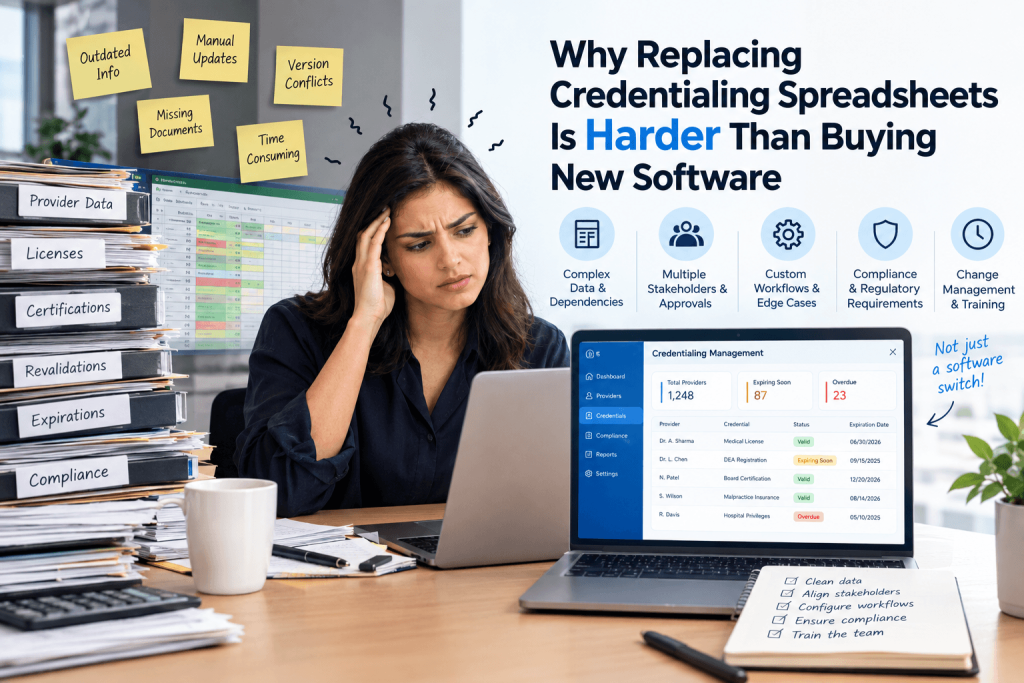
A credentialing team buys a new platform, imports its provider list, sits through training, and agrees that the spreadsheet can finally go away.
A few months later, another spreadsheet appears.
It may be called “open items,” “payer follow-ups,” “provider status,” or “roster changes.” The name changes. The job does not.
The file is still holding information the team does not trust itself to lose.
That usually means the implementation moved the obvious data but not the way the team actually works.
A credentialing spreadsheet is rarely just a list of providers. It often ends up carrying pieces of payer enrollment, location history, tax-entity relationships, document status, follow-up dates, and roster changes too. Over time, it becomes less like a database and more like a map of how work gets done.
That is what makes it difficult to replace.
Take a row that says:
Jane Smith | Aetna | Pending
Someone on the team may know exactly what “pending” means.
Jane may be active at one location but not another. Her enrollment under a second TIN may still be open. The payer may have asked for another document. Someone may be due to follow up next week.
None of that is visible in the word “pending.”
Some of it may be buried in a note or color code. The rest may live in email, another tab, or in the memory of the person who owns the account.
If the new system imports only the provider, payer, and status, the row has moved. The work has not.
The provider record is usually the easy part
A clinician doesn’t exist in the system as a single, isolated record.
The same provider may work at several locations, bill through more than one tax entity, participate with a payer under different arrangements, and carry different effective dates or payer IDs depending on the relationship.
A spreadsheet can hide that complexity because people learn how to read around it.
A new system has to represent it.
If Jane Smith works at two locations, the system needs to know that. If one of those locations is tied to another TIN, that matters. If Aetna recognizes one relationship but not the other, that matters too.
Those relationships become even more important later, when someone has to update a roster, terminate a provider, add a new location, or correct demographic information with a payer.
This is why a migration should not begin with, “Which columns should we import?”
The better question is, “What does the team need to know in order to keep working once this spreadsheet is gone?”
Teams should not have to rebuild hundreds of records by hand
Moving away from spreadsheets should not mean retyping the spreadsheet into another system.
Assured supports bulk imports of provider profiles, tax entities, and practice locations using structured templates. During implementation, teams can also bring existing enrollment data into the platform rather than recreating every record individually.
That matters because there is rarely one clean source file.
Provider data may live in one workbook. Locations may be somewhere else. Finance may maintain the tax-entity list. Enrollment history may sit in another tracker. Supporting documents may be scattered across shared folders.
The harder part is connecting those records once they have moved.
A provider should not arrive in the new system as a name and NPI with no idea which locations or entities belong to them. An existing enrollment should not arrive as “active” without enough context to know which relationship is actually active.
Those records need to be connected after the move.
Old data gets exposed quickly during a migration
Anyone who has maintained a credentialing tracker for long enough knows what happens to it.
Duplicate providers appear. Closed locations never quite disappear. The same payer gets entered under three different names. Old IDs remain in columns nobody wants to touch. A status created years ago is still there even though nobody remembers what it means.
Importing everything may feel safer than deciding what to leave behind.
It can also bring years of ambiguity into the new system.
Someone has to decide which records are current, which ones conflict, and which information is only useful as history.
That work depends on the people who understand the data and how they’ve used it. A migration is one of the few chances a team gets to resolve those old inconsistencies before they become part of the new system.
“Pending” is where a lot of migrations fall apart
Most trackers eventually settle on a familiar set of statuses:
Not started.
In progress.
Submitted.
Pending.
Approved.
Complete.
They work because the team supplies the missing context.
The new platform cannot assume that context.
“Submitted” might mean the application was sent yesterday. It might mean the payer confirmed receipt three weeks ago. It might mean the payer has already asked for more information.
“Approved” may still leave the team waiting for an effective date.
“Pending” can mean almost anything.
For open work, the history matters as much as the status.
The team needs to know what was submitted, when it was submitted, what came back, what is still outstanding, who owes the next action, and when someone needs to follow up.
Without that, an imported application may look complete but still be operationally unusable.
Open applications are harder to move than provider profiles
Historical records are usually straightforward.
In-flight work is not.
Suppose the team changes systems while 100 payer applications are already underway.
Some went out last week. Some have been sitting with a payer for a month. Several need signatures. Others are waiting on documents. A handful need follow-up on Tuesday.
The provider records may move in one batch.
Those applications need more care.
For each one, the new system needs enough information for someone to pick up the work without reconstructing its history from scratch.
That might include the submission date, payer response, documents sent, outstanding request, related location, related TIN, next follow-up date, and anything still needed from the provider.
This is usually why the old spreadsheet survives longer than planned.
It still knows things the new system does not.
Keeping both systems alive briefly is not the problem. The problem is never deciding when the old one stops being necessary.
Roster management exposes whether the migration actually worked
A team can successfully move its credentialing tracker and still end up managing payer rosters in spreadsheets six months later.
That usually means the underlying relationships were never fully connected.
Roster work depends on the same records.
When a provider joins a new location, leaves the organization, changes an address, or needs to be added under a different entity, the payer has to receive the right change for the right provider, location, and tax relationship.
If those relationships were flattened during migration, someone has to rebuild them before every roster submission.
That is exactly how spreadsheets creep back into the process.
Assured’s roster management tools use the underlying provider, tax-entity, and practice-location records to generate payer-specific roster files, track adds and terminations, handle demographic changes, and preserve a record of what was sent.
If a provider moves from one office to another, the credentialing record, enrollment context, and roster change should not live in three unrelated places.
Otherwise, one team updates the provider, another team updates enrollment, and the person responsible for the payer roster finds out later.
That is how a data-modeling problem turns into an operational handoff problem.
The best migration test is not the cleanest provider
Implementation teams naturally like clean test cases.
They are also the least useful.
A provider with one license, one location, and one payer will move almost anywhere without much trouble.
A better test is someone complicated.
Use a multi-state clinician. Use someone tied to several locations. Use a provider with an application already under review. Use someone with upcoming expirations, several payer relationships, and a long document history.
Then have the team actually work from the new system.
Can they tell which entity the provider belongs to?
Can they see which location an enrollment applies to?
Can they tell what happened last?
Can they see what needs to happen next?
Can they find the supporting documents without opening another folder?
And if the provider changes locations next month, can the person managing rosters make the change without rebuilding the context from another file?
Every time somebody says, “I need to check the spreadsheet for that,” the migration has found something important.
That is more useful than celebrating the fact that 2,000 rows imported successfully.
The spreadsheet usually comes back for a reason
Spreadsheets survive because they are forgiving.
A team can add a new column in seconds. A strange payer exception can go into a note. Someone can track an unusual situation without first deciding whether it belongs to the provider, location, enrollment, or roster record.
That flexibility helps when the surrounding process is messy.
Replacing the spreadsheet therefore takes more than replacing the file.
The new system has to carry enough of the relationships, history, and open work that people no longer need the old tracker to understand what is happening.
If the team can handle the next provider change, payer follow-up, or roster update without reopening the old tracker, the migration has done its job.